Features

Inventory, review, consolidate. Nothing more.

Obscura Trace brings together what consolidating a photo collection demands: knowing what it holds, deciding what to keep, and transferring it without losing anything. This page describes the released version, nothing else.

01

Scan Wizard

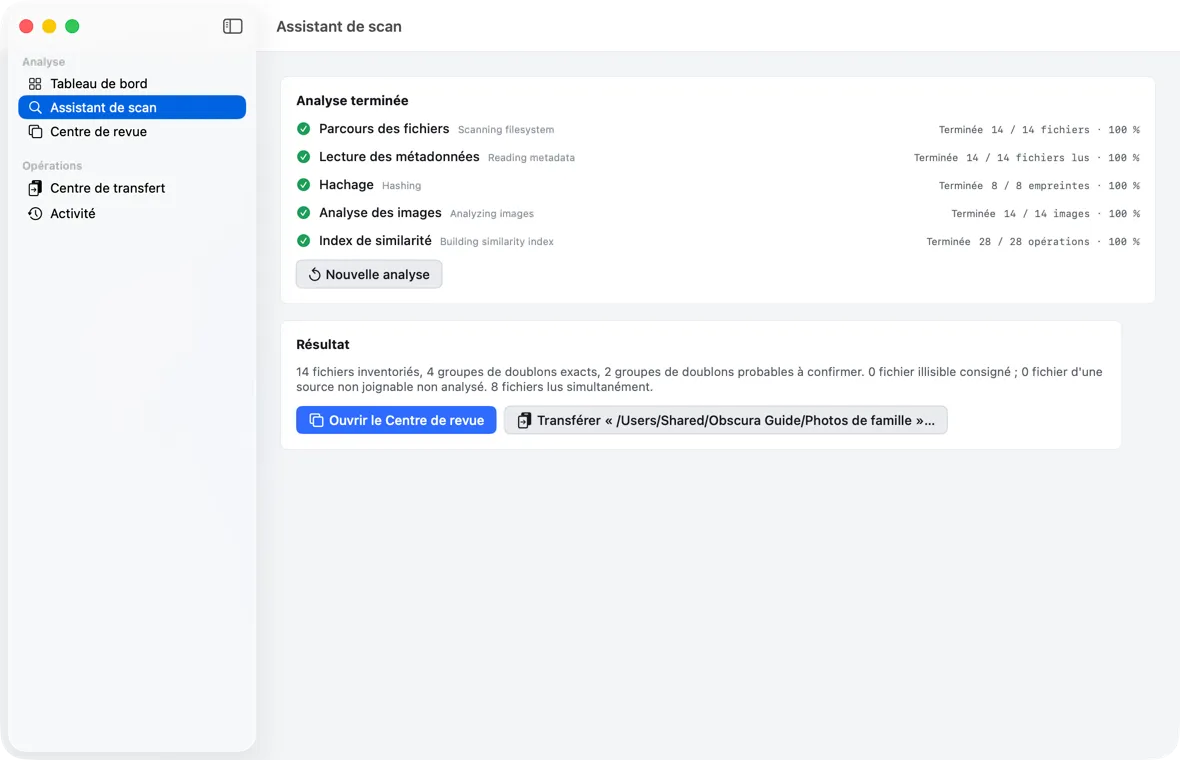
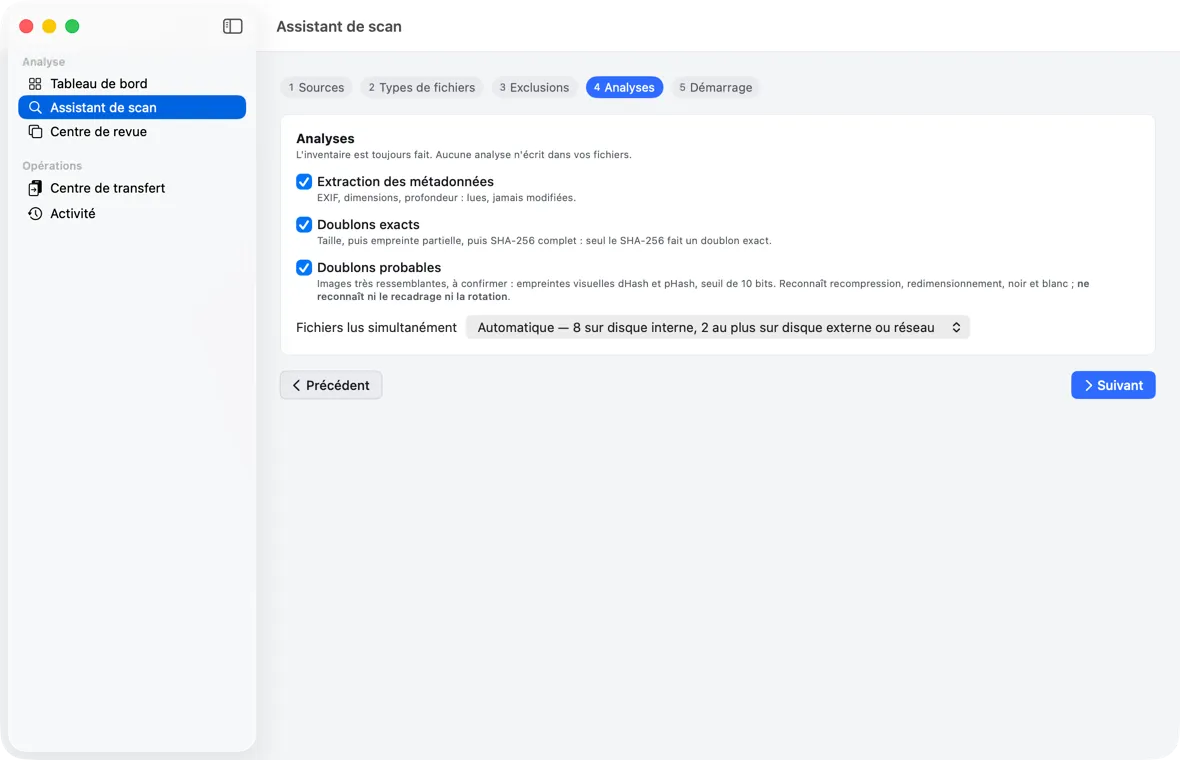
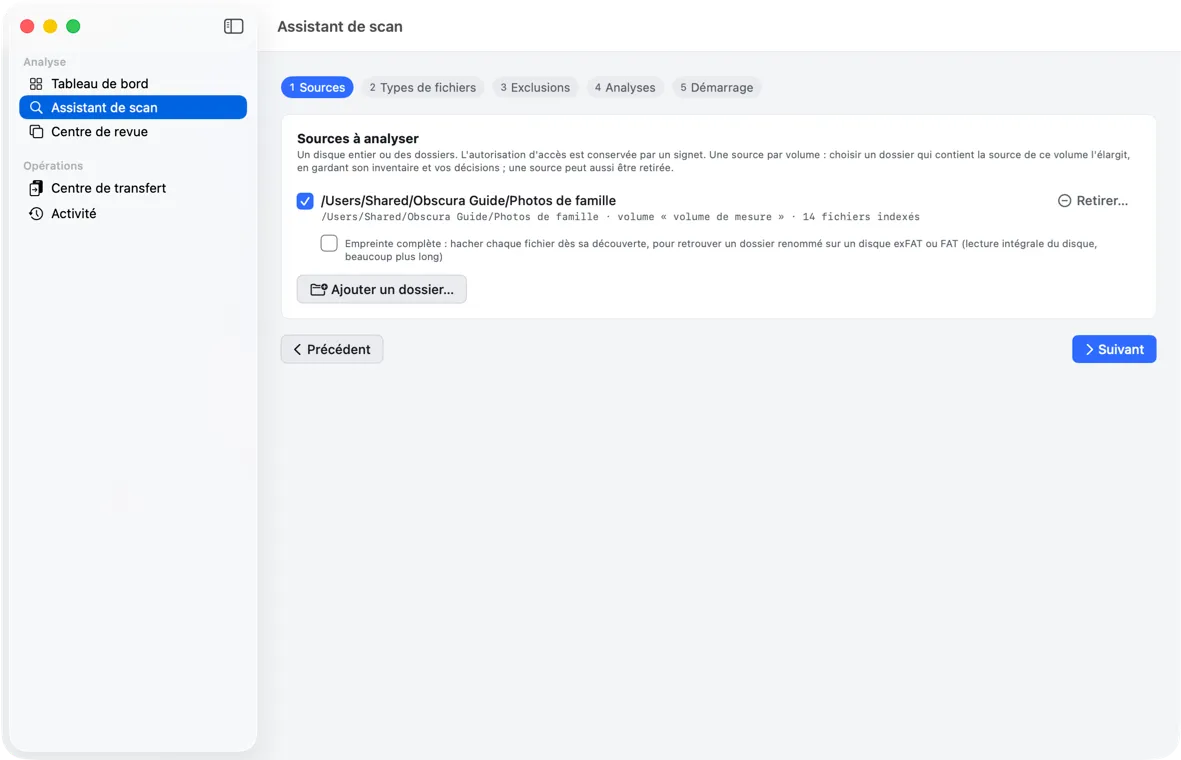
You choose the drives or folders to analyze, then set up the analysis in five steps: sources, file types, exclusions, analyses, start.

  • RAW and raster formats selected by default; XMP, videos, and PDFs optional
  • Exclusions by folder name or by pattern; system folders always skipped
  • The analysis only reads: nothing is written, moved, or deleted in your sources
Read the guide chapter
Obscura Trace — Scan Wizard (the app's interface is in French)
Scan Wizard
02

Five-phase analysis

File walk, metadata, hashing, image analysis, similarity index: each phase has its own state and counter, with no made-up overall percentage.

  • Pause, resume, and cancel; batches already recorded are kept
  • The analysis keeps running while you visit other screens
  • Run again, it does not re-inventory unchanged files
Read the guide chapter
Obscura Trace — Five-phase analysis (the app's interface is in French)
Five-phase analysis
03

Exact and visual duplicates

An exact duplicate is established by the full SHA-256 checksum. Visual duplicates are matched by two appearance fingerprints, dHash and pHash, within 10 bits.

  • Sizes, then a partial checksum, then the full SHA-256: only an identical SHA-256 makes an exact duplicate
  • Recompression, resizing, and black-and-white conversion are recognized
  • Neither cropping nor rotation is recognized: thresholds stay conservative
Read the guide chapter
Obscura Trace — Exact and visual duplicates (the app's interface is in French)
Exact and visual duplicates
04

Review Center

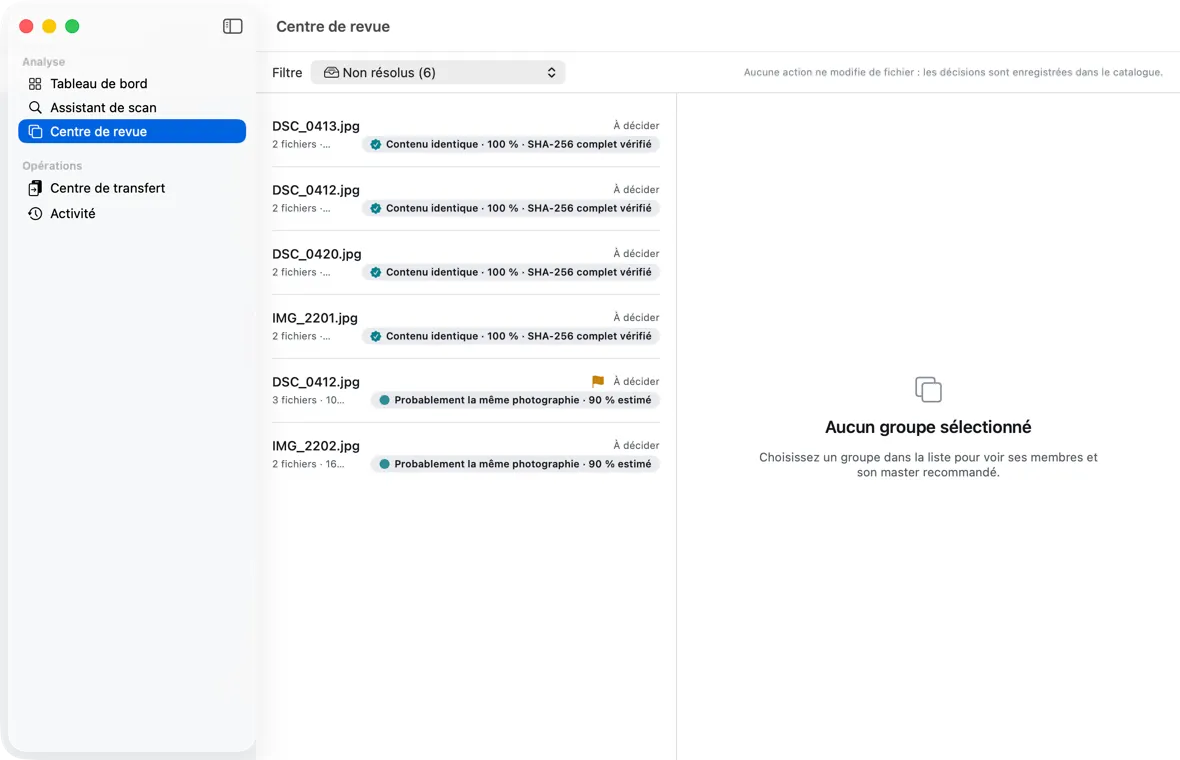
Duplicate groups, filtered by kind, with the confidence of each match: established when the content is identical, otherwise estimated and labeled as such.

  • Filters: exact and probable duplicates, unique files, corrupt files, unresolved, to review
  • No action on this screen modifies a file: decisions go to the catalog
  • Decisions are durable, undone by “Rouvrir le groupe” (Reopen group)
Read the guide chapter
Obscura Trace — Review Center (the app's interface is in French)
Review Center
05

Recommended, explained master

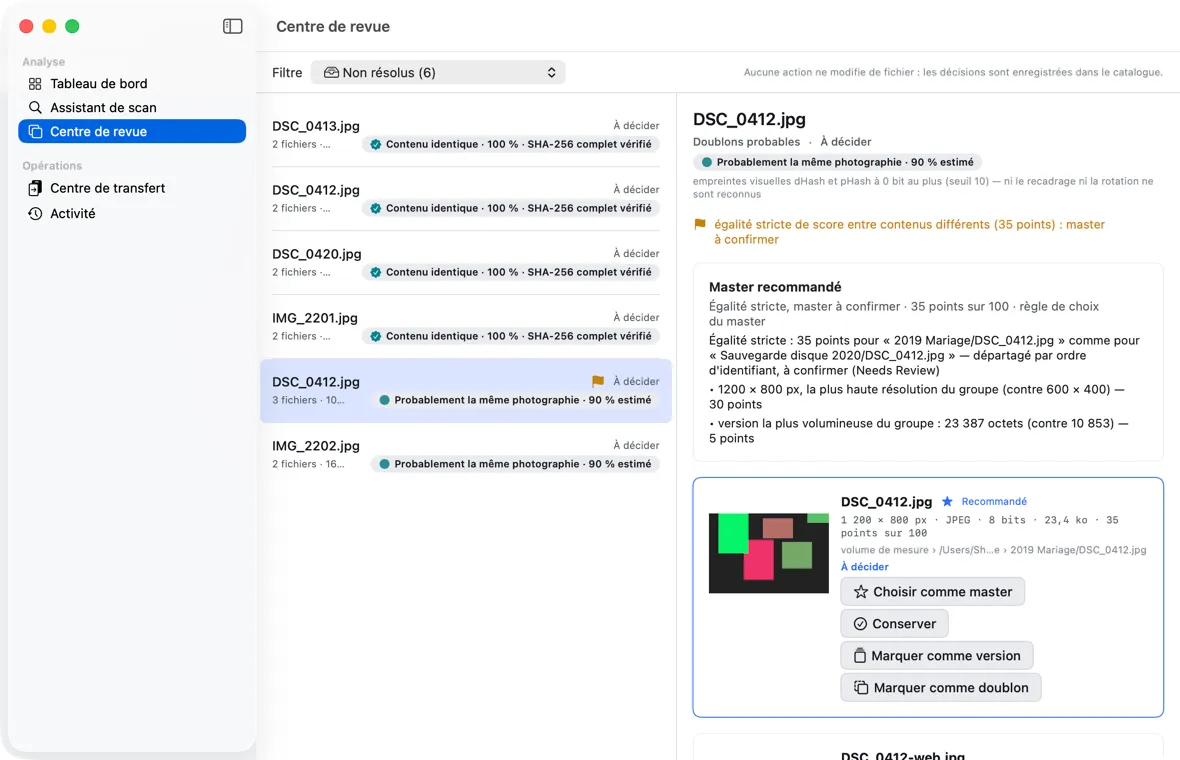
In each group, the copy to keep first is recommended by a seven-criterion rule scored out of 100, explained criterion by criterion.

  • Resolution, bit depth, format, metadata, color profile, size, date
  • The score is the result of a rule, not a probability
  • The app recommends; you choose the master
Read the guide chapter
Obscura Trace — Recommended, explained master (the app's interface is in French)
Recommended, explained master
06

Side-by-side comparison

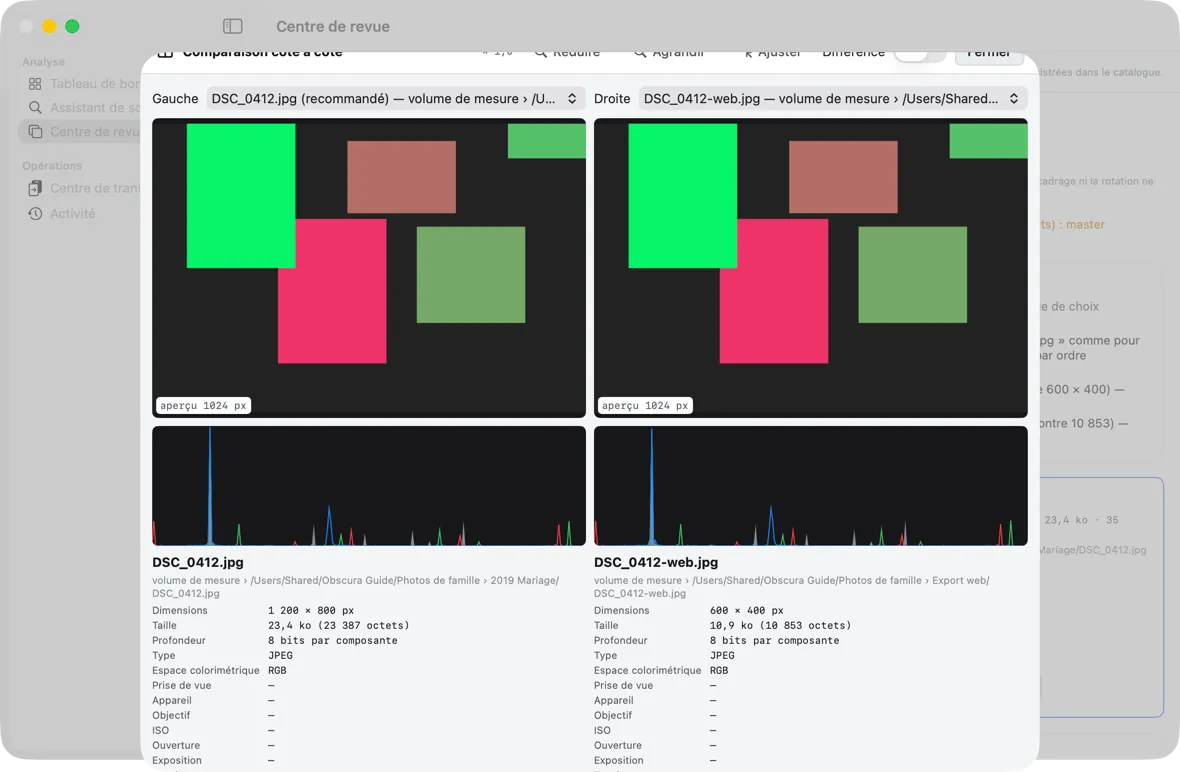
Two members of a group face to face, with synchronized zoom and pan, histogram, EXIF sheet, and a difference view.

  • Progressive sharpness: never more detail than the screen shows
  • Difference |left − right|: black means identical
  • The viewer modifies no file and records no decision
Read the guide chapter
Obscura Trace — Side-by-side comparison (the app's interface is in French)
Side-by-side comparison
07

Dry run and transfer plan

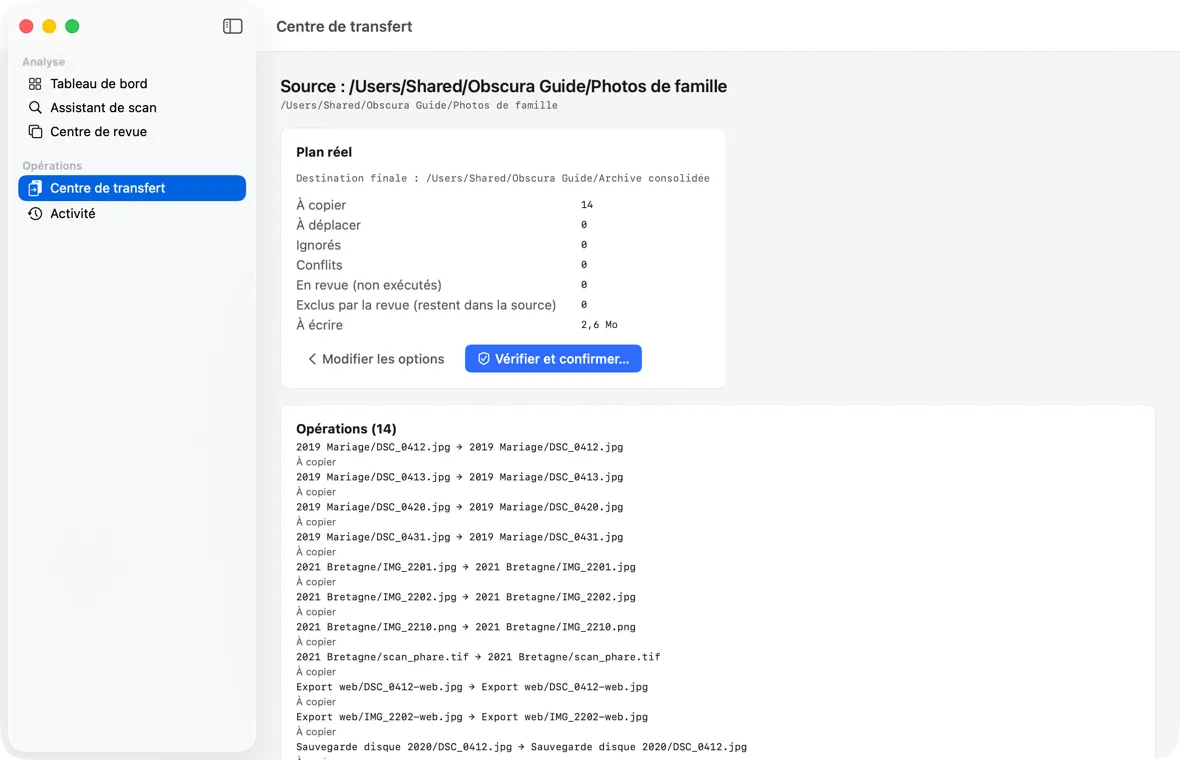
Before writing anything, the Transfer Center computes the exact list of operations: a dry run to read, then a real plan compared with that dry run.

  • Copy or move, keeping the source folder structure
  • “Compare” collision strategy by default: never a silent overwrite
  • Your review decisions filter the plan; free space is checked first
Read the guide chapter
Obscura Trace — Dry run and transfer plan (the app's interface is in French)
Dry run and transfer plan
08

Confirmation, Trash by default

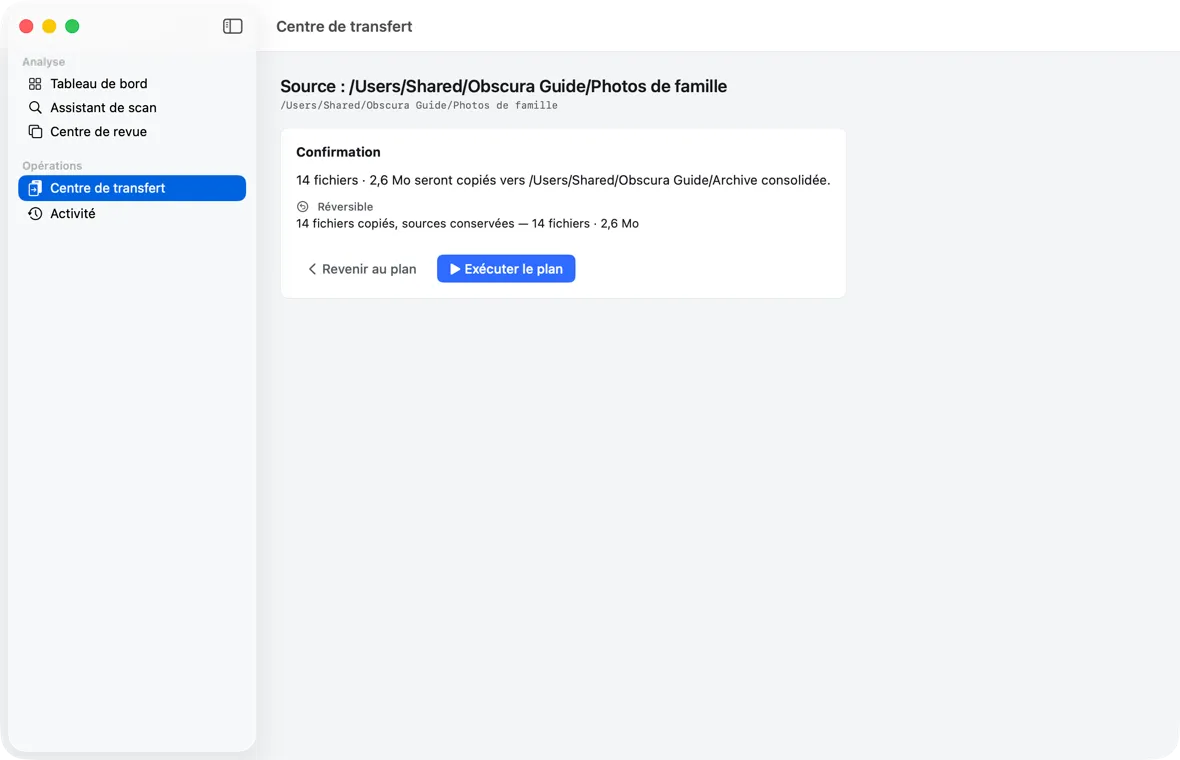
The confirmation sorts every operation by reversibility. The sources of a move go to the drive's Trash, which the app never empties.

  • Permanent deletion off by default, then consented to for each transfer
  • Irreversibility must be explicitly acknowledged before running
  • Recoverable space and freed space, always kept apart
Read the guide chapter
Obscura Trace — Confirmation, Trash by default (the app's interface is in French)
Confirmation, Trash by default
09

Verified copy and resume

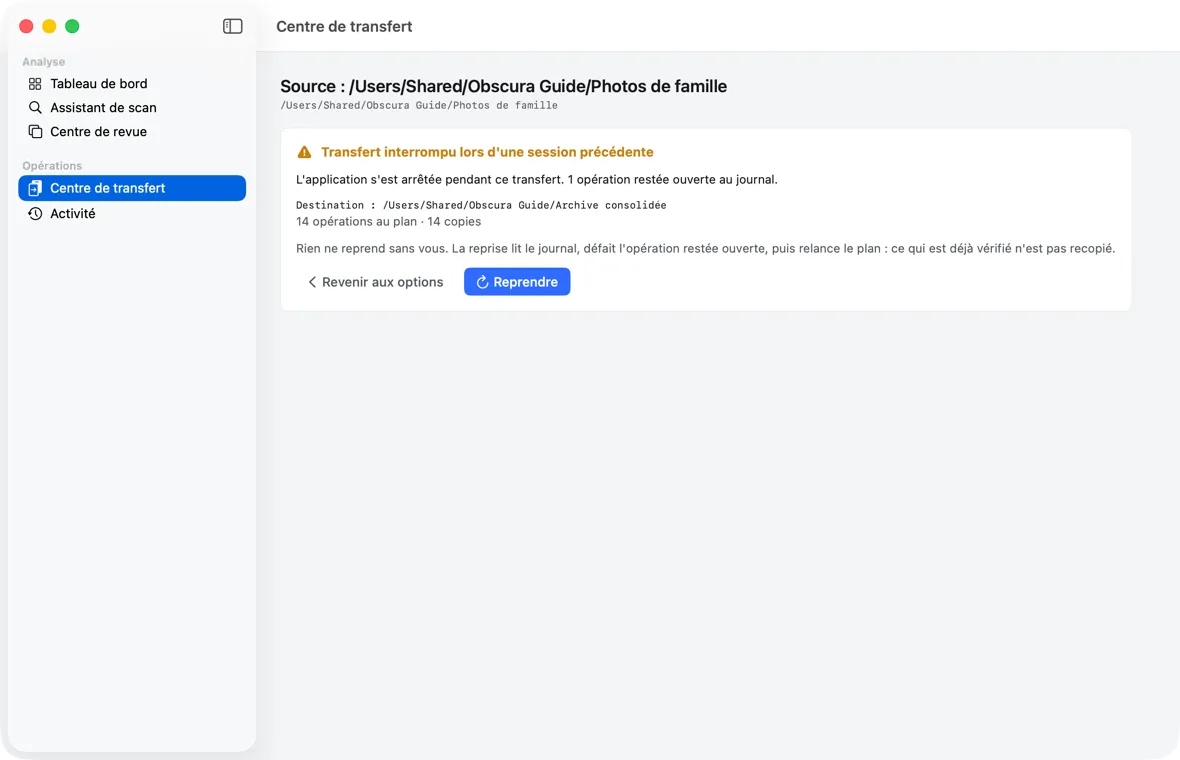
Each copy is written under a temporary name, checked by SHA-256 and reread from disk, before it takes its final name. The journal is written before each operation.

  • A source is removed only after every copy of its unit is verified
  • Full or unplugged drive: clean stop, resumed when you say so
  • Resuming never recopies what is already verified
Read the guide chapter
Obscura Trace — Verified copy and resume (the app's interface is in French)
Verified copy and resume
10

Report and manifest

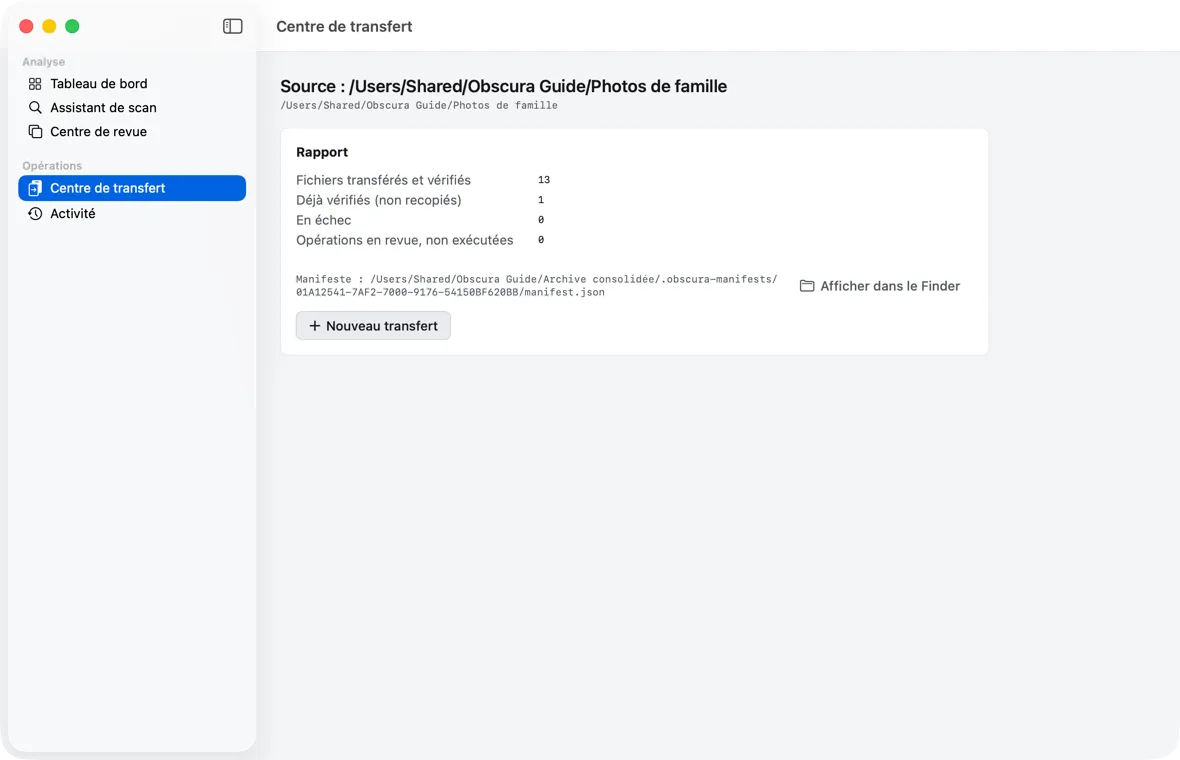
Every transfer ends with a report and writes a readable manifest.json at the destination: origin, destination, checksum, and fate of each file.

  • Written before the transfer is marked complete
  • Find out, years later, where each file of the archive came from
  • Ignored by analyses if the destination becomes a source again
Read the guide chapter
Obscura Trace — Report and manifest (the app's interface is in French)
Report and manifest
11

Dashboard and Activity

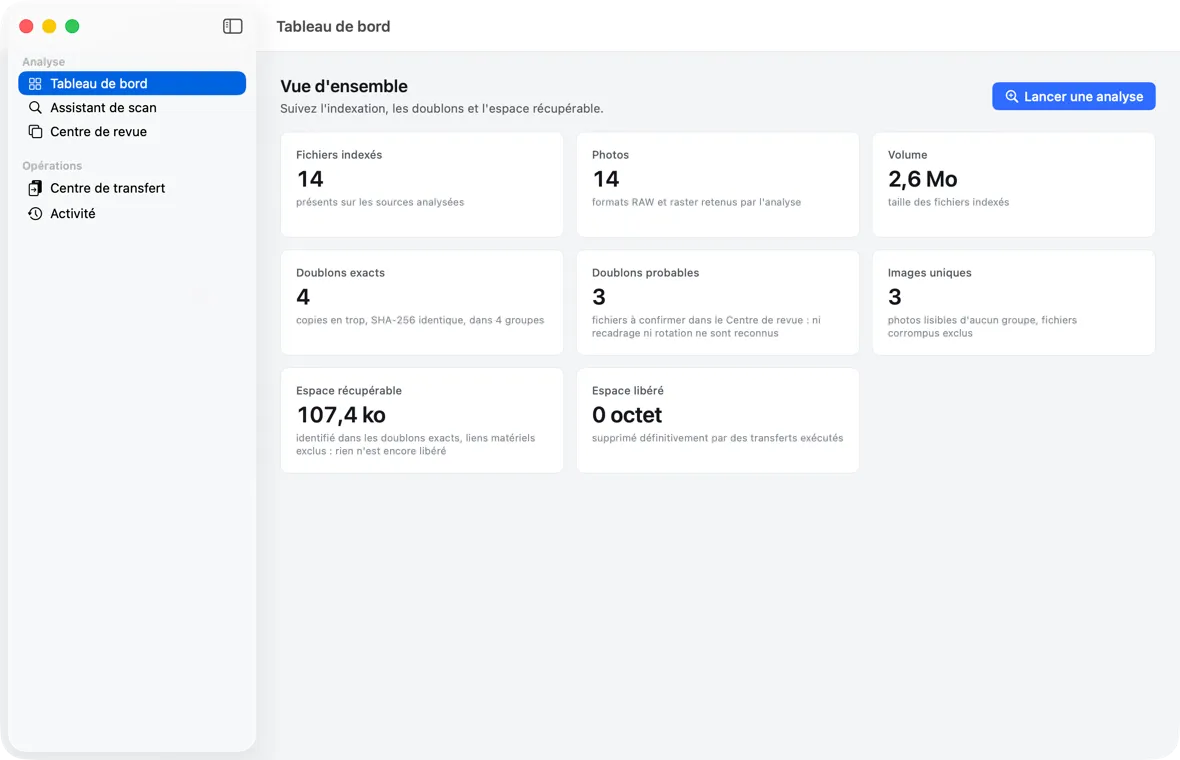
Eight totals across the whole catalog, and a readable history of analyses, transfers, and setting changes, newest first.

  • Totals marked as still being established while an analysis is unfinished
  • An interrupted transfer or analysis is flagged for resuming
  • A screen never shows an assumed value in place of one it could not read
Read the guide chapter
Obscura Trace — Dashboard and Activity (the app's interface is in French)
Dashboard and Activity
12

obscura command line

A tool bundled with the app, on the same engines and the same catalog, for advanced users: settings, review, plan, execute, recover.

  • Path templates when planning (--template), for example by year and month
  • Batch renaming with preview, required preview fingerprint, and undo
  • No renaming on exFAT or FAT32: the preview refuses before acting
Read the guide chapter
OBSCURA="/Applications/Obscura Trace.app/Contents/Helpers/obscura"
"$OBSCURA" plan --catalog "$CATALOG" --source-id <sourceId> \
  --destination /Volumes/Archive --template '{YEAR}/{MONTH}/{ORIGINAL_NAME}' --dry-run
"$OBSCURA" rename --catalog "$CATALOG" --source-id <sourceId> \
  --source-root "/Volumes/Photos" --template '{YYYY}-{MM}-{DD}_{ORIGINAL_NAME}'
# PREVIEW 2004/IMG_0042.CR2 -> 2004/2004-07-14_IMG_0042.CR2
Examples from chapter 8 of the guide

Principles

An app that respects your archives.

Local, read-only by default, copy-first, journaled, and careful when in doubt.

100% local

Your photos, metadata, and catalog never leave your Mac. No analysis engine uses the network; the update check is off by default.

Read-only by default

The analysis and the Review Center only read and record your decisions. Only the Transfer Center writes, after a confirmation you approve.

Trash by default

Moved sources go to the drive's Trash, which the app never empties. Permanent deletion is off by default.

Copy, verify, then remove

A move is a copy verified by SHA-256; the original is removed only afterwards. Nothing is silently overwritten.

Journal before action

Every operation is written to the journal before it happens: after a power cut, resuming knows exactly where it stood.

When in doubt, keep

A false positive costs more than a missed duplicate: similarity thresholds are conservative, and the product recommends without deciding for you.

Next step

Find out what your drives really hold.

Obscura Trace is signed with Developer ID and notarized by Apple. macOS 14 Sonoma or later.