The Dashboard
The Tableau de bord (Dashboard) summarizes, in eight cards, what the analyses found in the whole catalog (all sources combined). Each card shows its title, its value and a line that says exactly what it counts.
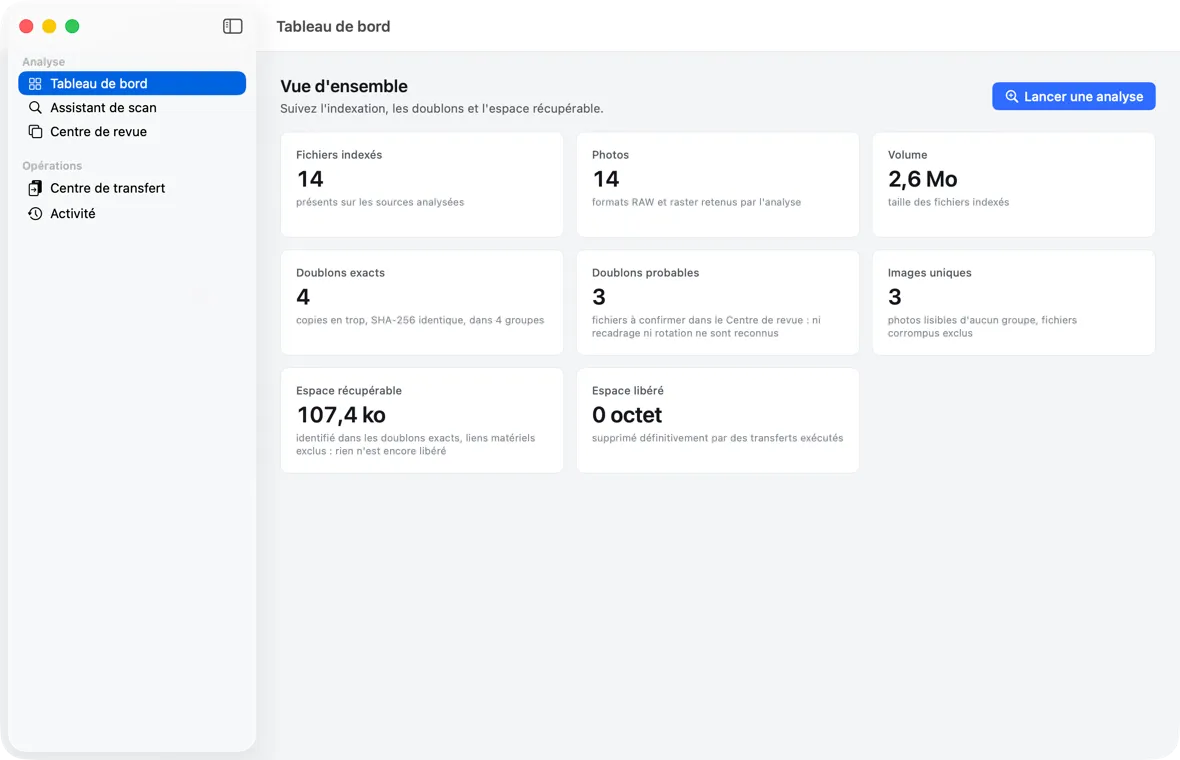 The Dashboard after an analysis: eight cards, including “Espace récupérable” (Recoverable space) and “Espace libéré” (Freed space), kept separate.
| Card | What it counts |
|---|---|
| Fichiers indexés (Indexed files) | present on the analyzed sources |
| Photos | RAW and raster formats selected by the analysis |
| Volume | size of the indexed files |
| Doublons exacts (Exact duplicates) | surplus copies, identical SHA-256, in N groups |
| Doublons probables (Probable duplicates) | files to be confirmed in the Centre de revue (Review Center): neither cropping nor rotation is recognized |
| Images uniques (Unique images) | readable photos in no group, corrupted files excluded (an XMP is not a photo) |
| Espace récupérable (Recoverable space) | identified in exact duplicates, hard links excluded: nothing has been freed yet |
| Espace libéré (Freed space) | permanently deleted by executed transfers; where applicable, “X à la Corbeille, récupérables jusqu’à son vidage” (X in the Trash, recoverable until it is emptied) is added |
Recoverable space is not freed space
These are two distinct figures, and the app never confuses them:
- recoverable space is an estimate: the room taken up by the surplus copies of exact duplicates. Nothing has been freed yet.
- freed space is a fact: the bytes actually permanently deleted by a transfer. Files moved to the Trash still occupy the disk until you empty the Trash; they are therefore counted separately.
During an analysis
As long as an analysis is not finished — in progress, paused or interrupted — a banner is shown at the top:
“Une analyse n’est pas terminée (en cours, en pause ou interrompue) : chaque total ci-dessous est en cours d’établissement et peut encore changer.” (meaning: An analysis is not finished (in progress, paused or interrupted): each total below is still being established and may still change.)
Each card then shows an hourglass and the note “En cours d’établissement” (Being established). While an analysis is running, the Dashboard updates itself, at least every two seconds, while you are looking at it; when paused or interrupted, the totals do not move and are read once.
After a transfer
Files that a move removed from the source (moved to the Trash or permanently deleted) immediately stop being counted in “Fichiers indexés” (Indexed files), and leave the duplicate groups: the Dashboard and the Centre de revue (Review Center) say what your disks contain, without a new analysis.
Transfer to resume
If a transfer was interrupted (app quit or stopped, disk unplugged), a banner is shown at the top: “1 transfert à reprendre : il a été interrompu. Rien ne reprend sans vous ; ce qui est déjà vérifié ne sera pas recopié.” (meaning: 1 transfer to resume: it was interrupted. Nothing resumes without you; what is already verified will not be copied again.) The “Ouvrir le Centre de transfert” (Open the Transfer Center) button leads there; nothing is executed before “Reprendre” (Resume) (see chapter 6).
Special states
- “Aucun fichier indexé” (No files indexed): nothing has been analyzed yet. The “Ouvrir l’Assistant de scan” (Open the Scan Assistant) button leads there.
- “Calcul des totaux…” (Computing totals…): reading in progress. On a very large catalog (one million files), it can take a few seconds.
- “Les totaux n’ont pas pu être lus” (The totals could not be read): error reading the catalog; “Réessayer” (Retry).
The Activity screen
The Activité (Activity) screen is the history of operations, from most recent to oldest: source declarations, analyses (started, paused, resumed, canceled, finished, failed), transfers (executed, interrupted, resumed, failed), and changes to the permanent deletion setting (“Suppression définitive autorisée” (Permanent deletion allowed), as a warning, or “Suppression définitive désactivée” (Permanent deletion disabled)).
If the app stopped during a transfer or an analysis, an “À reprendre” (To resume) section is shown at the top of the screen: an interrupted transfer opens in the Centre de transfert (Transfer Center) (“Ouvrir dans le Centre de transfert” (Open in the Transfer Center)), where it waits for “Reprendre” (Resume); an interrupted analysis is resumed or abandoned from here (see chapter 10). Nothing resumes without your action.
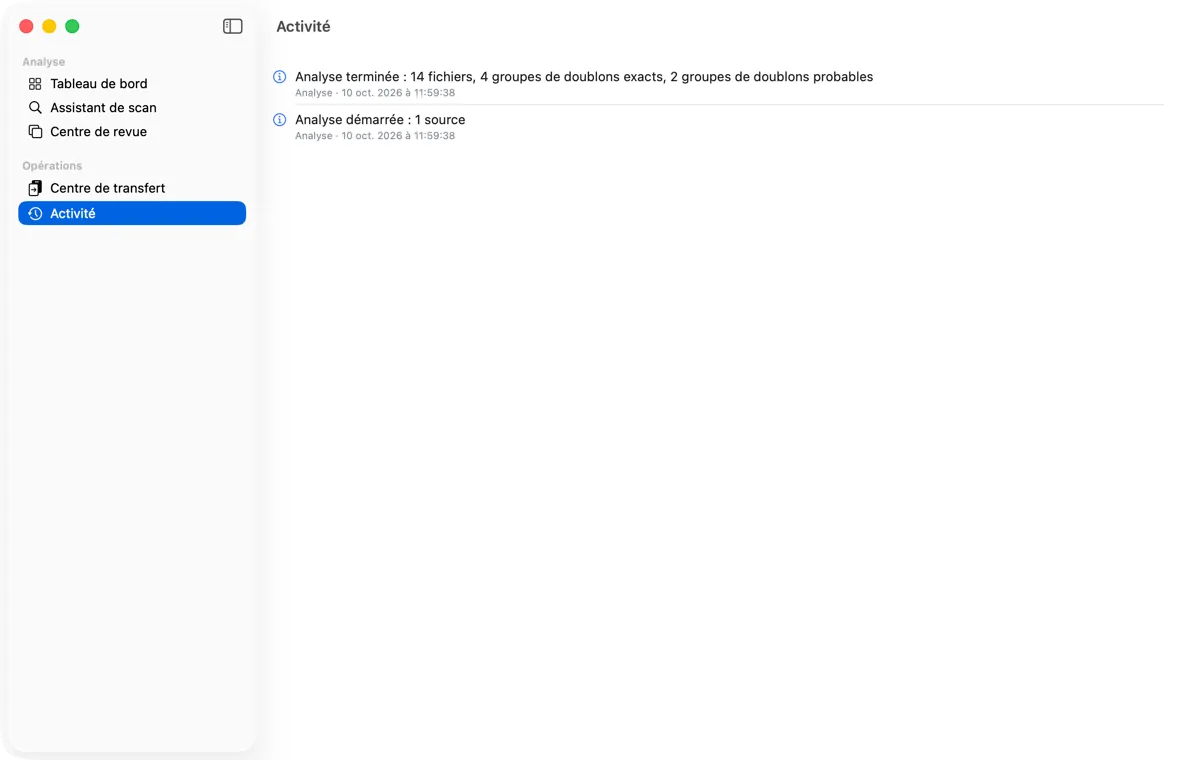 The Activity screen: the history of analyses and transfers, most recent first.
Each line shows:
- a level icon — information, warning (triangle), error (octagon);
- the message, for example “Analyse terminée : 1 284 234 fichiers, 20 000 groupes de doublons exacts, 312 groupes de doublons probables” (Analysis finished: 1,284,234 files, 20,000 exact duplicate groups, 312 probable duplicate groups) (at the Warning level, followed by its reason: “— incomplète : 3 fichiers illisibles consignés, 1 dossier non lisible” (— incomplete: 3 unreadable files logged, 1 unreadable folder)), “Transfert démarré : 1 204 opérations au plan” (Transfer started: 1,204 operations in the plan) (written before any operation on the files) or “Transfert exécuté : … opérations vérifiées, … en échec, … sources à la Corbeille, … supprimées” (Transfer executed: … operations verified, … failed, … sources to the Trash, … deleted);
- the category (“Analyse” (Analysis), “Transfert” (Transfer), “Réglages” (Settings), “Source”) and the date.
The history loads in pages of one hundred lines: scroll to the bottom to display the next ones.
If it is empty: “Aucune opération” (No operations) — “Les analyses, les transferts et les changements de réglage apparaîtront ici, du plus récent au plus ancien.” (Analyses, transfers and setting changes will appear here, from most recent to oldest.)
Activity and journal: two different things
The Activity screen is a readable history, written after each operation. It is not what guarantees the safety of transfers: that is the transaction journal, invisible on screen, written before each operation on a file and read back on resume. A missing activity line (for example after a power cut) therefore never compromises a resume.